

You are using an out of date browser. It may not display this or other websites correctly.
You should upgrade or use an alternative browser.
You should upgrade or use an alternative browser.

Input Overlay v5.0.5
- Thread starter univrsal
- Start date


Monody
New Member
Found a solution for this: Just don't use Wayland lolMay I ask why libuiohook was disabled under Wayland? At least before I could get a working keyboard and mouse display while a program was running in XWayland( like most games do). Now it's just dead.
And by that I mean I changed OBS's flatpak parameters to use XWayland instead, and now my input display is even more functional than it was before! So I'm leaving this as a tip for anyone else in the same boat.
Monody
New Member
The online tool for converting presets to 5.1.0 gets the alphanumeric keys completely wrong. Like "D registers as spacebar and J registers as both Home and Numpad 7" wrong.
But the auto-conversion built into the plugin works correctly, meaning you have to just keep using the un-updated files for now.
But the auto-conversion built into the plugin works correctly, meaning you have to just keep using the un-updated files for now.
First of all thanks for creating and sharing this awesome plugin. I used gamepad viewer before, but that is more fit for single pc streaming. But this plugin is much more aligned with dual pc stream.
After multiple tests I was able to setup the input-overlay plugin and got it working in OBS locally. I even created a custom preset for Dual Sense 5 Controller. Anyone can download if they desire.
Unfortunately my plugin has an odd behavior. When I connect through the websocket loading the ioclient All the inputs from keyboard and mouse work smooth. But when I go for the gamepad, it has an odd behavior.
Analog Sticks, Bumpers, Triggers, Action buttons work well, but when I get to the D-PAD it doesn't respond. It shows like if it was stuck pressing the the left d-pad. Locally using the same presets it works well, but remotely it has this odd behavior.
Here's a quick video. Has anyone encountered something like this? Were you able to fix it or should I report this as a bug?
After multiple tests I was able to setup the input-overlay plugin and got it working in OBS locally. I even created a custom preset for Dual Sense 5 Controller. Anyone can download if they desire.
Unfortunately my plugin has an odd behavior. When I connect through the websocket loading the ioclient All the inputs from keyboard and mouse work smooth. But when I go for the gamepad, it has an odd behavior.
Analog Sticks, Bumpers, Triggers, Action buttons work well, but when I get to the D-PAD it doesn't respond. It shows like if it was stuck pressing the the left d-pad. Locally using the same presets it works well, but remotely it has this odd behavior.
Here's a quick video. Has anyone encountered something like this? Were you able to fix it or should I report this as a bug?
Attachments
Update: It seems this is only happening with DualSense overlays. I tested a classic xbox controller and it worked.First of all thanks for creating and sharing this awesome plugin. I used gamepad viewer before, but that is more fit for single pc streaming. But this plugin is much more aligned with dual pc stream.
After multiple tests I was able to setup the input-overlay plugin and got it working in OBS locally. I even created a custom preset for Dual Sense 5 Controller. Anyone can download if they desire.
Unfortunately my plugin has an odd behavior. When I connect through the websocket loading the ioclient All the inputs from keyboard and mouse work smooth. But when I go for the gamepad, it has an odd behavior.
Analog Sticks, Bumpers, Triggers, Action buttons work well, but when I get to the D-PAD it doesn't respond. It shows like if it was stuck pressing the the left d-pad. Locally using the same presets it works well, but remotely it has this odd behavior.
Here's a quick video. Has anyone encountered something like this? Were you able to fix it or should I report this as a bug?
It happens with new config files and the dual sense preset.
It seems it could be something on how the hooks are received. I see this happening for gamecube, default dualsense, xbox-series, custom dual sense presets.
Not sure what is difference between the xbox, gamepad, nx pro controller vs the ones which are "broken".
Skibidibabap
New Member
Hi, thanks a lot for sharing! The one you made shows off the bumper button inputs a lot better than the one that's in the presets. I love that you have my own Series X controller color already added (toxic green, or 'Electric Volt' as Microsoft calls it).Loving this plugin, and the ease of using the web gui for creating an overlay.
Attached is my Xbox Series Controller textures with json.
Included are:
Choose a color texture and use the same json file each.
- template.svg - used in io-cct to place buttons, sticks, triggers. You can also use this svg to create your own colors. I used Figma, which makes is easy to keep everything within the frame (w:1916 h:1618 - incl. 1px around the entire texture)
- white, black, blue, red, green and pink controllers
Design was created by tracing (by hand) a high quality image of an Xbox Series Controller so that dimensions (button sizes and placement) is close to the real thing.
What's not added: Guide (Xbox logo) and Share buttons have no pressed state (why would it be needed?). If you want those buttons to show, for whatever reason, let me know and I'll update the textures.
One thing that would make it even better for me would be if there was no transparency around the buttons if that makes sense, here's a screenshot from the overlay in Nioh 3 - as you can see the colors behind the controller 'shine through', making it look a bit messy at times. Any easy way to make it non-transparent?
Monody
New Member
I eventually just had to manually install the non-flatpak version into the OBS flatpak directory using this guide.the flatpak version is outdated apparently is there a way to get the updated version?

IntOverflow
New Member
managed to get this working on mac after a few hours of terrible code

zigmenthtotep
New Member
Is there a way to map an analog stick as four discrete button inputs? I made the mistake of buying an 8bitdo 64 controller only to find that the c buttons are mapped to the right stick, and 8bitdo's software doesn't support remapping on that controller.
zigmenthtotep
New Member
Nevermind I guess, the plugin won't even recognize this $50 paperweight.
Crazierinzane
New Member
I love that this exists. There hasn't been a stable release in a while but the Github repo looks active, so I hope there is something new or enhanced coming.
I hope speedrunners and other content creators give this plugin a shoutout every once in a while.
I would like to contribute a preset for a pixelated Wii U Pro controller. It isn't popular or new, but it is my daily driver.
I have included two active-button colors and a minimalist arrangement.

I hope speedrunners and other content creators give this plugin a shoutout every once in a while.
I would like to contribute a preset for a pixelated Wii U Pro controller. It isn't popular or new, but it is my daily driver.
I have included two active-button colors and a minimalist arrangement.
Attachments
Rainbow_kites
New Member
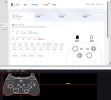
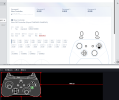
My xbox controller works well with Input Overlay, but LT and RT can not be detected normally. Both the software and the plugin are the latest version. I am grateful if anyone can help!
Attachments



mertt4
New Member
I'm trying to make a custom skin and I've gotten everything setup properly, but for some reason my browsers aren't detecting my controllers, so I can't map the button presses to the correct buttons. I want to try programming it manually, but I'm not sure how to know what codes to use (only keyboard and mouse codes are provided outside the io-cct page) and I don't understand what the Z value is. If anyone could help it would be much appreciated. I can share the config file or the texture file if it would help